How to connect Beckman Coulter DxH 500 Series with MedX Automation
MedX Automation integrates with the Beckman Coulter DxH 500 Series using the ASTM protocol over TCP/IP. This allows automatic or manual result transmission from the analyzer to your LIS.
✅ Before You Begin
- Ensure the Automation app is installed on a PC that is connected to the same network as the analyzer.
- Confirm that the DxH 500 Series has been added as a device in the Automation app.
For details, see How to connect medical devices with MedX Automation
For detailed technical information from Beckman Coulter, refer to:
⚙️ Configuring LIS Communication
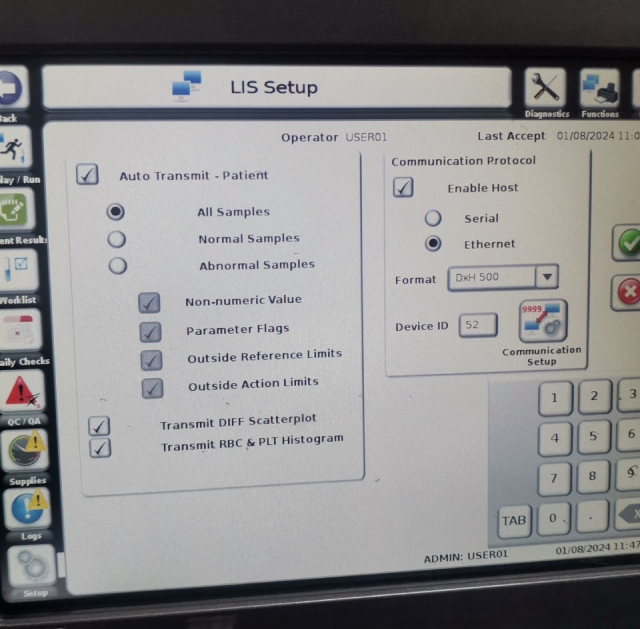
On the analyzer, go to Settings → LIS to open the LIS setup screen.
LIS Settings
Ensure the following options are enabled:
- ✅ Auto Transmit - Patient
- ✅ Transmit DIFF Scatterplot
- ✅ Transmit RBC & PLT Histogram
- ✅ Enable Host
- ✅ Ethernet (under Communication Protocol)
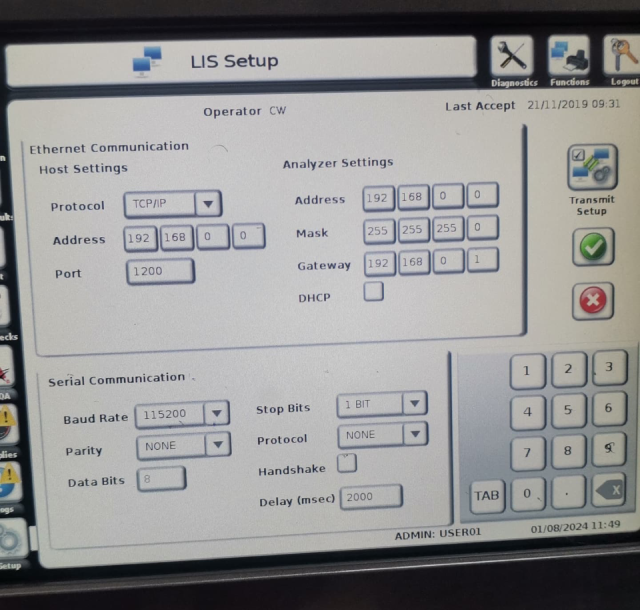
Ethernet Communication Setup
Under Communication Protocol, select Communication Setup and update the following:
🔧 Host Settings
- Protocol:
TCP/IP - Address: Use the IP address shown in the Automation app
- Port: Use the port number from the Automation app
🌐 Analyzer Network Settings
You must assign an IP address to the analyzer:
- Recommended: Enable
DHCPto automatically assign an IP - Alternative: Manually set a static IP, subnet mask, and gateway that match your network configuration
📤 Sending Results
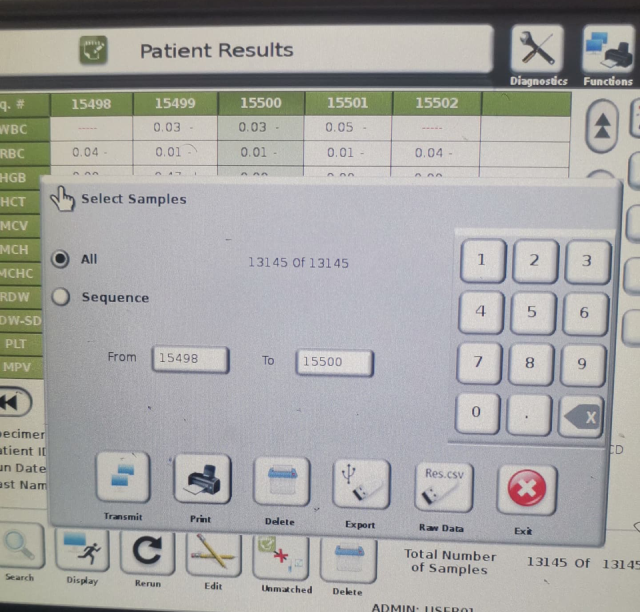
If Auto Transmit is enabled, results will automatically be sent to Automation as they are generated. If you need to send results manually:
- Go to the Patient Results screen
- Select the desired result
- Click the Transmit button